As seen on










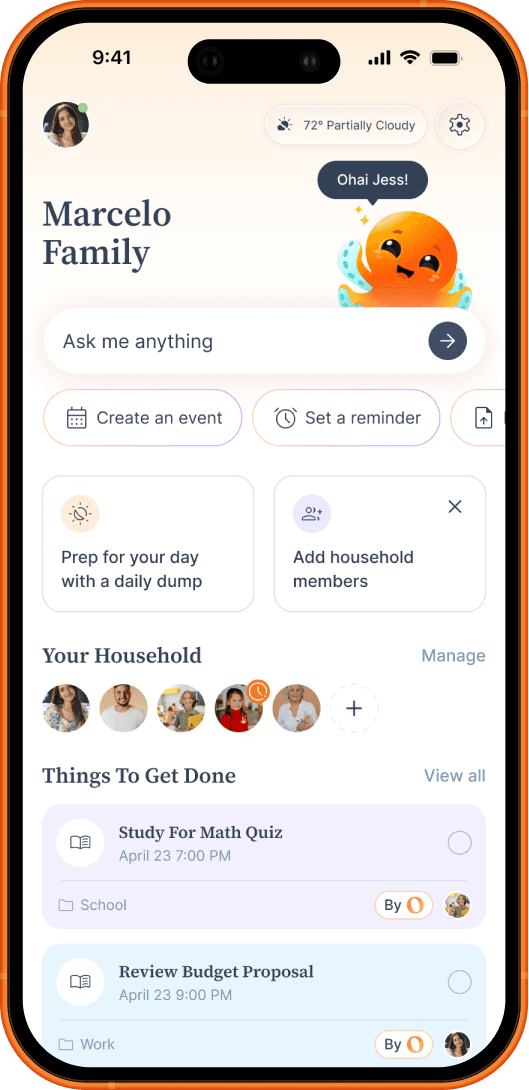
Ohai.ai goes beyond basic alerts by creating reminders automatically from your everyday inputs, emails, documents, and chat.
How it works
What Families Are Saying
Frequently Asked Questions
UPDATE TEST What is AI document processing?(reminder test)
AI document processing uses artificial intelligence to read, understand, and organize your files automatically. With Ohai.ai, you can scan or upload documents, like school forms, receipts, or event flyers, and the AI extracts key details such as names, dates, and deadlines to keep you organized.
Can Ohai.ai read PDFs and images?(reminder test)
Yes. Ohai.ai can process PDFs, screenshots, scanned images, and even handwritten notes. It recognizes important information like due dates, times, and instructions and turns them into tasks or calendar events automatically.
How does Ohai.ai make documents actionable?(reminder test)
Instead of just storing your files, Ohai.ai analyzes them and suggests next steps, like adding an event to your calendar, setting a reminder, or creating a to-do. You approve each action so your documents become useful plans, not just clutter.
Can it handle multiple types of documents?(reminder test)
Absolutely. Ohai.ai supports school newsletters, permission slips, hotel bookings, flight itineraries, invitations, medical forms, and more. Each file is processed intelligently, categorized automatically, and easy to find later.
Can I search for a specific document later?(reminder test)
Yes. You can ask Ohai.ai to find documents by name, topic, or keyword, for example, “Show me last month's grocery receipts” or “Find the field trip form.”
Does it connect to my calendar?(reminder test)
Yes. Ohai.ai links with your connected calendars to automatically add events and reminders from uploaded documents, ensuring nothing gets missed.
What if my document includes multiple events or deadlines?(reminder test)
Ohai.ai recognizes multiple items in a single file and separates them automatically, creating individual calendar entries or tasks for each one.
Can I share processed documents with my family or Circle?(reminder test)
Yes. Once uploaded, you can add the events to a shared circle calendar so that the whole family has visibility on the added events. Or a list from doc scan can be shared with them as well.
How does Ohai.ai differ from a regular scanner or cloud drive?(reminder test)
Traditional scanners only digitize. Ohai.ai understands context, extracting data, creating reminders, and integrating directly with your calendar system, so every document turns into something actionable.